

Design Manual F13 CyberTech s.r.o. — Complete Reference
This file contains everything from Design Manual-ref.pdf (55 pages) and Design Manual.docx,
so that future sessions never need to open binary files.
Document Metadata
- Title: Design Manual
- Subtitle: F13 CyberTech s.r.o.
- Author: F13 CyberTech s.r.o. / Nicola Horakova
- Email: info@f13cybertech.cz
- Classification: Interni
- Total pages: 55 (reference PDF)
Change Log (Tabulka 1: Zmeny v dokumentu)
| Verze | Datum | Autor | Zmeny |
|---|---|---|---|
| 0.1 | 17.03.2025 | Nicola Horakova | Zmena loga a pridani loga (Rizeni rizik) |
| 0.2 | 18.03.2025 | Nicola Horakova | Nova tabulka pro verze |
| 0.3 | 20.03.2025 | Nicola Horakova | Uprava tabulky pro verze, pridany titulky, opraven obsah |
| 0.4 | 29.03.2025 | Nicola Horakova | Oprava titulkovani obrazku |
| 0.5 | 29.03.2025 | Nicola Horakova | Doplneni Jak ma vypadat oficialni F13 dokument |
| 0.6 | 30.03.2025 | Nicola Horakova | Uprava dokumentu pro splneni standardu |
| 0.7 | 31.03.2025 | Nicola Horakova | Nova sablona |
| 0.8 | 21.07.2025 | Nicola Horakova | Doplneni loga a pasmo loga |
- Table has full borders (
|l|l|l|p{...}|with\hline), NOT booktabs - Headers: Verze, Datum, Autor, Zmeny
- Caption below: "Tabulka 1: Zmeny v dokumentu"
Table of Contents Structure (reference PDF page 3)
The reference TOC title is "Obsah" at 14pt bold Montserrat. Sections are bold, subsections and subsubsections are regular weight.
- Uvodni slovo a specifikace znacky
- Logotyp
- 2.1 Varianta pozitivni
- 2.2 Varianta negativni
- 2.3 Cerna varianta
- 2.4 Seda varianta
- 2.5 Bila varianta
- 2.6 Nazev firmy v ruznych kontextech
- 2.7 Pouziti loga v ruznych kontextech
- 2.7.1 Aplikace loga: Priklady, umisteni a vizualni ukazky
- 2.8 Jak ma vypadat oficialni F13 dokument
- 2.9 Jak ma vypadat oficialni F13 prezentace
- 2.9.1 Ucel prezentace
- 2.9.2 Format a technicke pozadavky
- 2.9.3 Struktura prezentace
- 2.9.4 Barevnost
- 2.9.5 Typografie
- 2.9.6 Logo a branding
- 2.9.7 Cislovani
- 2.9.8 Stylistika textu
- 2.10 Povolene a nepovolene pozadi pro loga
- 2.11 Standardy umisteni loga na ruznych typech dokumentu a platforem
- 2.11.1 Pro dokument a tiskove materialy
- 2.11.2 Pro prezentacni materialy
- 2.11.3 Pro socialni site a jine digitalni materialy
- Nepovolene modifikace logotypu
- 3.1 Jak logo nepouzivat
- Firemni pisma
- Kodifikace barevnosti
- Loga pro okruhy produktu
- 6.1 Vsechny produkty
- 6.2 Skoleni
- 6.3 Zabezpeceni infrastruktury
- 6.4 Prevence
- 6.5 Sprava a podpora
- 6.6 Analyza a evidence
- 6.7 Regulace a legislativa
- 6.8 Vyvoj
- 6.9 IT akademie
- Loga produktu
- 7.1--7.50 (individual product/service logos)
- Seznam zkratek a vyznam
- Seznam obrazku
- Seznam tabulek
- Predstaveni F13 CyberTech s.r.o.
- Kontakty
Brand Colors (Kodifikace barevnosti) — from reference PDF page 21
Primary Colors
| Czech Name | English | HEX | RGB | CMYK |
|---|---|---|---|---|
| Tmave modra | Dark Blue/Navy | #243752 | 36, 55, 82 | 56, 33, 0, 68 |
| Cervena | Red | #F25944 | 242, 89, 68 | 0, 63, 72, 5 |
| Seda | Grey | #C7C7C7 | 199, 199, 199 | 0, 0, 0, 22 |
Secondary Colors
| Czech Name | English | HEX | RGB | CMYK |
|---|---|---|---|---|
| Svetle modra | Light Blue | #65A1FF | 101, 161, 255 | 60, 37, 0, 0 |
| Svetle cervena | Light Red | #FFB2A7 | 255, 178, 167 | 0, 30, 35, 0 |
| Svetle seda | Light Grey | #F2F2F2 | 242, 242, 242 | 0, 0, 0, 5 |
LaTeX Color Names
| Color | LaTeX name | HEX | Usage |
|---|---|---|---|
| F13 Red | f13red | #F25944 | Accents, links, logo, shapes |
| F13 Navy | f13navy | #243752 | All body text, headings |
| F13 Grey | f13grey | #9D9D9C | Borders, secondary elements |
| F13 Dark Grey | f13darkgrey | #575756 | Subtitles, author info |
WARNING: The README.md has WRONG colors (#E30613 red, #1D1D1B black). The definitive
colors are from the Word document XML srgbClr attributes and confirmed by the reference PDF
color page: Red = #F25944, Navy = #243752.
Note: #9D9D9C and #575756 are used in the LaTeX template for UI elements but do NOT appear
in the official 6-color palette on page 21. They come from the Word XML for specific element
styling (borders, dark grey subtitle text).
Typography
Font
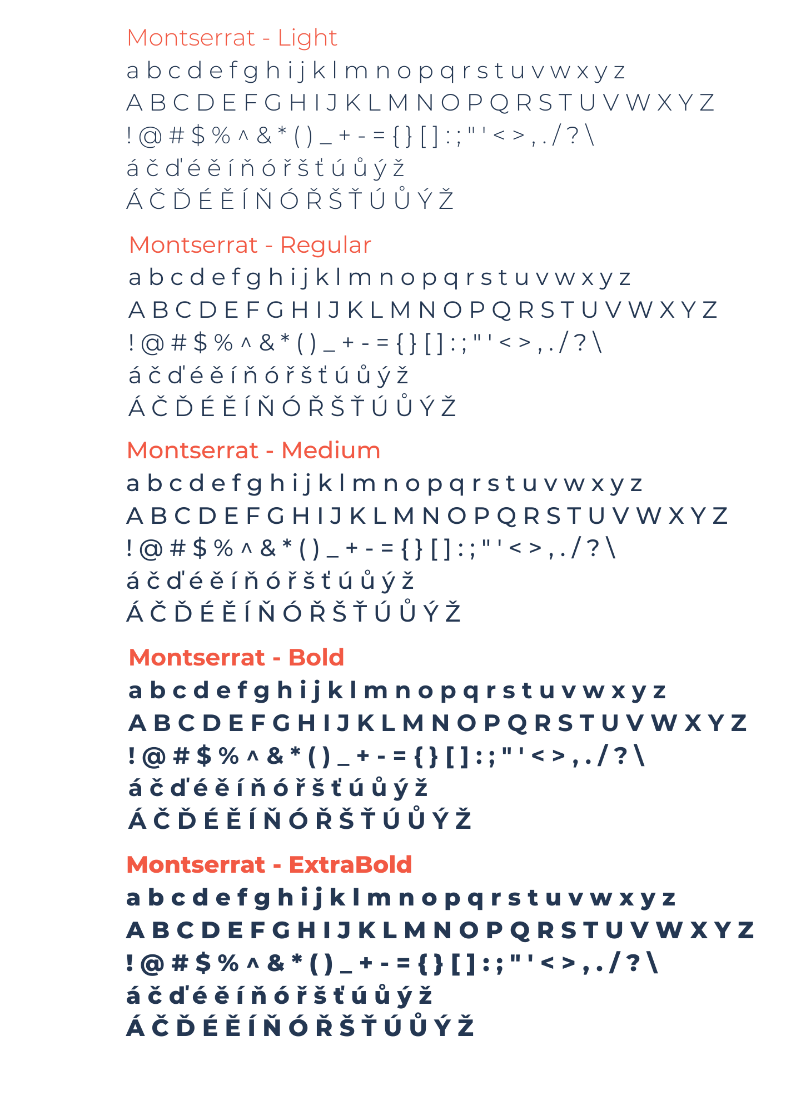
- Montserrat — used exclusively throughout ALL documents and presentations
- Loaded via
fontspec(XeLaTeX required) - Styles: Regular, Bold, Italic, BoldItalic
Document Font Sizes
| Element | Size | Weight | Notes |
|---|---|---|---|
| Title page heading | 36 pt | Bold | Montserrat |
| Title page subtitle | 18 pt | Regular | Color: f13darkgrey |
| Title page author/date | 11 pt | Regular | Montserrat |
| Section (H1) | 18 pt | Bold | e.g. "1 Logotyp" |
| Subsection (H2) | 16 pt | Regular | NOT bold per reference PDF |
| Subsubsection (H3) | 11 pt | Regular | NOT bold per reference PDF |
| Body text | 11 pt | Regular | Justified |
| TOC title "Obsah" | 14 pt | Bold | Montserrat |
| TOC entries (sections) | 11 pt | Bold | Only sections are bold in TOC |
| TOC entries (sub/subsub) | 11 pt | Regular | Not bold |
| Captions | 9 pt | Italic | Left-aligned (raggedright) |
| Caption format | "Obrazek N: Description" | ||
| References title | 14 pt | Bold | Montserrat |
| LOF/LOT titles | 14 pt | Bold | Montserrat |
Presentation Font Sizes (PowerPoint)
| Element | Size | Alignment |
|---|---|---|
| Title | 60 pt | Center |
| Subtitle | 24 pt | Center |
| Author & date | 18 pt | |
| Slide heading | 40 pt | Center |
| Body text | 20-24pt | |
| Thank you slide | 60 pt | Center |
Text Style Rules
- Bold for key information emphasis (e.g. "Testovaci faze trva 5 pracovnich dnu")
- Italic for foreign terms, document names, important concepts (e.g. ISO 27001)
- No underline — conflicts with hyperlinks
- Bullet points: filled circles (level 1), outline circles (level 2)
Page Layout & Geometry
A4 paper
Top margin:    30 mm
Bottom margin: 25 mm
Left margin:   25 mm
Right margin:  25 mm
headheight:    20 mm
headsep:       10 mm
footskip:      15 mm
Header
- Logo in top-left corner (height 1.61 cm, width 5.52 cm)
- Classification text ("Interni") in top-right
Footer
- "Stranka X z Y" in bottom-right
- Title page has NO footer/page numbers
Paragraph Style
- Justified text
- Paragraph spacing (parskip) between paragraphs, NO indentation (parindent = 0)
- parskip approximately 6-8pt
Title Page Layout (TikZ, absolute coordinates)
The title page uses geometric shapes as background decoration.
Text Content (TikZ nodes, absolute from page south-west)
- Title: y=17.5cm, x=2.5cm, anchor=west, 36pt bold, f13navy
- Red underline: (2.5, 16.6) -- (9.5, 16.6), 1pt red line
- Subtitle: y=15.7cm, x=2.5cm, anchor=west, 18pt, f13darkgrey
- Author + email: y=3.0cm, x=2.5cm, anchor=south west, 11pt
- Date: (18.5, 3.0), anchor=south east, 11pt
Geometric Shapes
- Red diagonal line: (19.5, 28.2) -- (-0.5, 2), 1.5pt
- Red triangle top-right: (21, 29.7) -- (14.5, 29.7) -- (21, 24.5) -- cycle, filled f13red
- Navy upper wing: (21, 27.5) -- (21, 20.5) -- (12.5, 14.5) -- (14.5, 22) -- cycle
- Navy lower wing: (21, 19) -- (21, 11) -- (12.5, 14.5) -- cycle
- Navy parallelogram bottom-left: (0, 7.5) -- (2.3, 12) -- (2.3, 8) -- (0, 4) -- cycle
- Red triangulated mesh: clipped to lower wing area, upward+downward triangles, opacity=0.45
- Logo: centered at top of page, width 8cm (
logo-large.png)
Page Style
titlepagestyle: header with logo + classification, NO footer
Document Structure Rules (from Section 2.8)
Header
- Logo in top-left corner (zahavi)
Footer
- Page numbering: bottom-right, format "Stranka X z Y"
- Title page is NOT numbered
Layout
- Preferred orientation: portrait
- Exception: wide tables may use landscape orientation (
widepageenvironment)
Title Page Elements
- Title: 36pt Montserrat
- Subtitle: 18pt Montserrat
- Author: 11pt Montserrat
- Author's company email: 11pt Montserrat
- Document creation date: 11pt Montserrat
Change Log Requirements
- Every document MUST have a change log section
- Unauthorized versions start at 0.X
- After management approval, numbering starts at 1.1
Table of Contents
- Every document MUST have a TOC
- Title "Obsah": 14pt Montserrat
- Text: 11pt Montserrat
Heading Structure
- H1 (e.g. "1 F13"): 18pt Montserrat
- H2 (e.g. "1.2 F13"): 16pt Montserrat
- H3 (e.g. "1.2.1 F13"): 11pt Montserrat
Objects in Document
- Images: text wrapping = square
- Captions for images, tables, graphs, equations, diagrams:
- Must be BELOW the object
- 9pt italic Montserrat
- Starts with capital letter
- Format: "Obrazek 1: Logo original"
- Label separator: colon
References
- End of document should have a references section
- Title "Reference": 14pt Montserrat
Lists of Figures/Tables
- For better document quality
- Title: 14pt Montserrat
- Text: 11pt Montserrat
File Format
- Final documents: PDF
- Editable drafts: DOCX
Logo Variants & Usage
5 Logo Variants
| Variant | Image File | Description |
|---|---|---|
| Pozitivni | logo-positive.png | Original color logo |
| Negativni | logo-negative.jpeg | White + red on dark background |
| Cerna | logo-black.jpeg | Black only |
| Seda | logo-grey.jpeg | Grey only |
| Bila | logo-white.png | White only (shown on dark background) |



Logo Usage by Context
| Variant | Use Case |
|---|---|
| Cerna | Black & white documents |
| Seda | Social media posts (Instagram, Facebook, etc.) |
| Originalni | Color documents, social media posts |
| Bila | Social media posts (on dark backgrounds) |
| Cerveno-bila | Social media posts |
Company Name in Different Contexts
| Context | Name to use |
|---|---|
| Social media (LinkedIn, FB, IG) | F13 CyberTech |
| Hashtag | #f13cybertech (all lower) |
| Internal documents | F13 CyberTech |
| External documents | F13 CyberTech s.r.o. |
| Website | F13 CyberTech s.r.o. |
| Email communication | F13 CyberTech s.r.o. |
Logo Dimensions
| Context | Height | Width |
|---|---|---|
| Documents & print | 1.61 cm | 5.52 cm |
| Social media (1080x1080px) max | 1.60 cm | 5.50 cm |
| Social media (1080x1080px) min | 0.90 cm | 2.90 cm |
| Larger materials (1200x800px) | min 1.60cm | min 5.50cm |
Logo Protection Zone
- Minimum clearance: 34 px or 9 mm on all sides
- No text or objects may enter the protection zone

Allowed/Disallowed Logo Backgrounds
- Logo must be readable — avoid patterned, complex, or low-contrast backgrounds
Povolene pozadi:
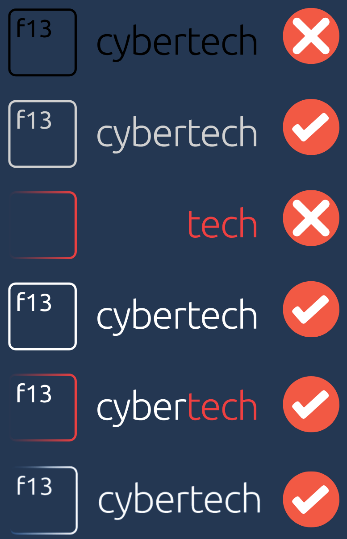
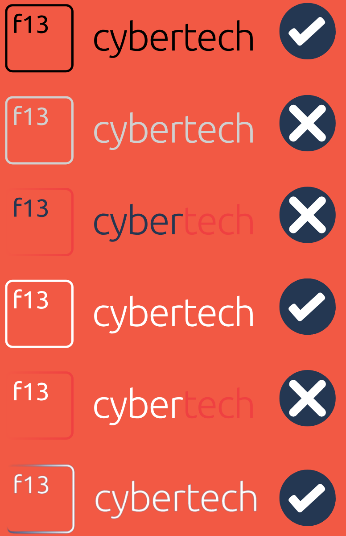
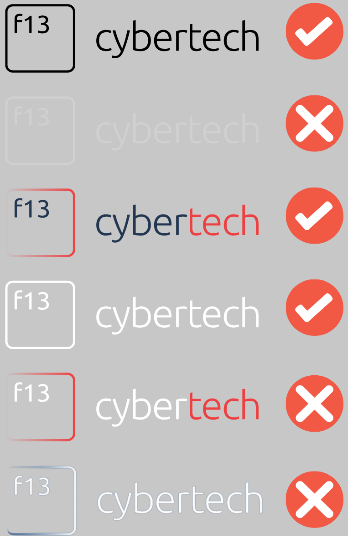
Nepovolene pozadi:
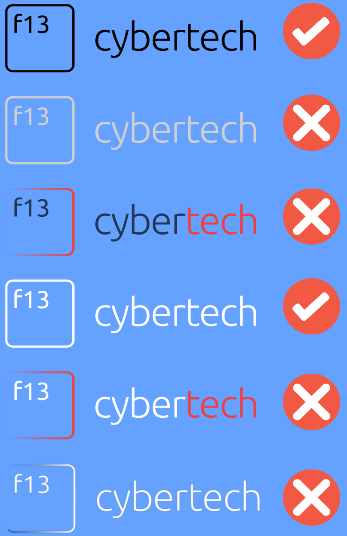
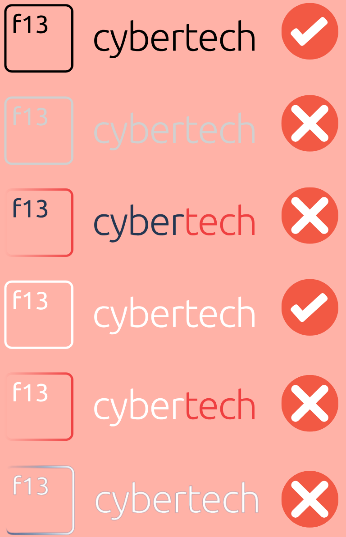
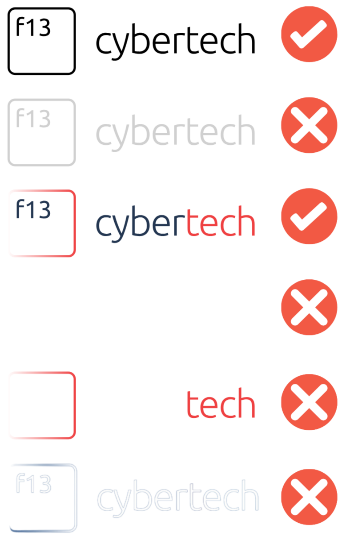
Prohibited Logo Modifications (Section 3)
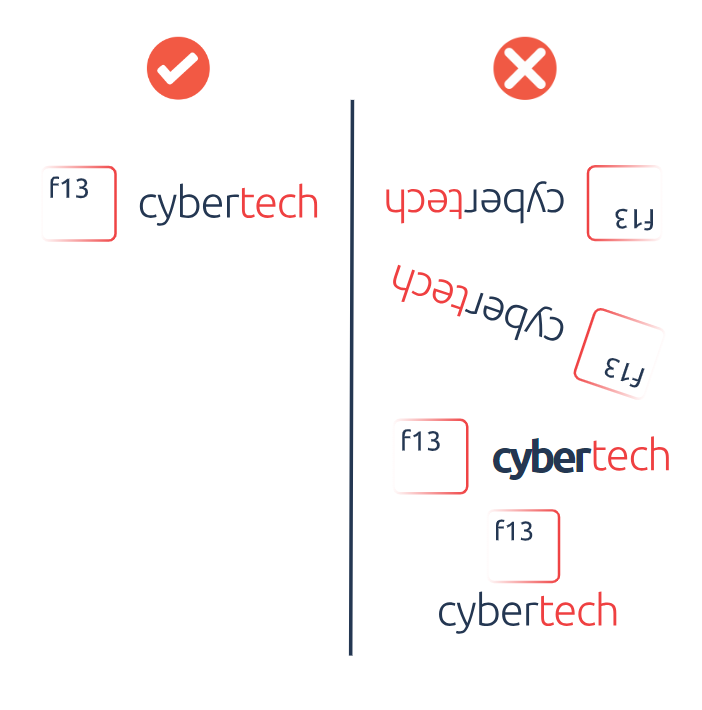
- Do NOT deform proportions (no stretching/squeezing)
- Do NOT change logo colors (use only defined brand color variants)
- Do NOT place on unsuitable backgrounds (patterned, complex, low-contrast)
- Do NOT rotate the logo (always aligned straight)
- Do NOT add effects (shadows, 3D, other graphic modifications)
Presentation Rules (Section 2.9)
Format
- PowerPoint (.pptx)
Structure
- Title slide — name, subtitle, presenter name, creation date
- Contents (chapter overview)
- Introduction / Concept
- Main part (chapters, topics, services)
- Summary / Recommendations / Call to action
- Thank you
Branding
- Logo on EVERY slide (per template)
- Do not move, modify, or overlap the logo
- Colors per design manual (see Kodifikace barevnosti)
Numbering
- First and last slides are NOT numbered
Text Style
- Concise, to the point
- Ideally 3-5 bullet points per slide
- No full paragraphs, use key messages
Product Categories (Section 6) — Loga pro okruhy produktu
Each category has a description text and a logo icon.
6.1 Vsechny produkty
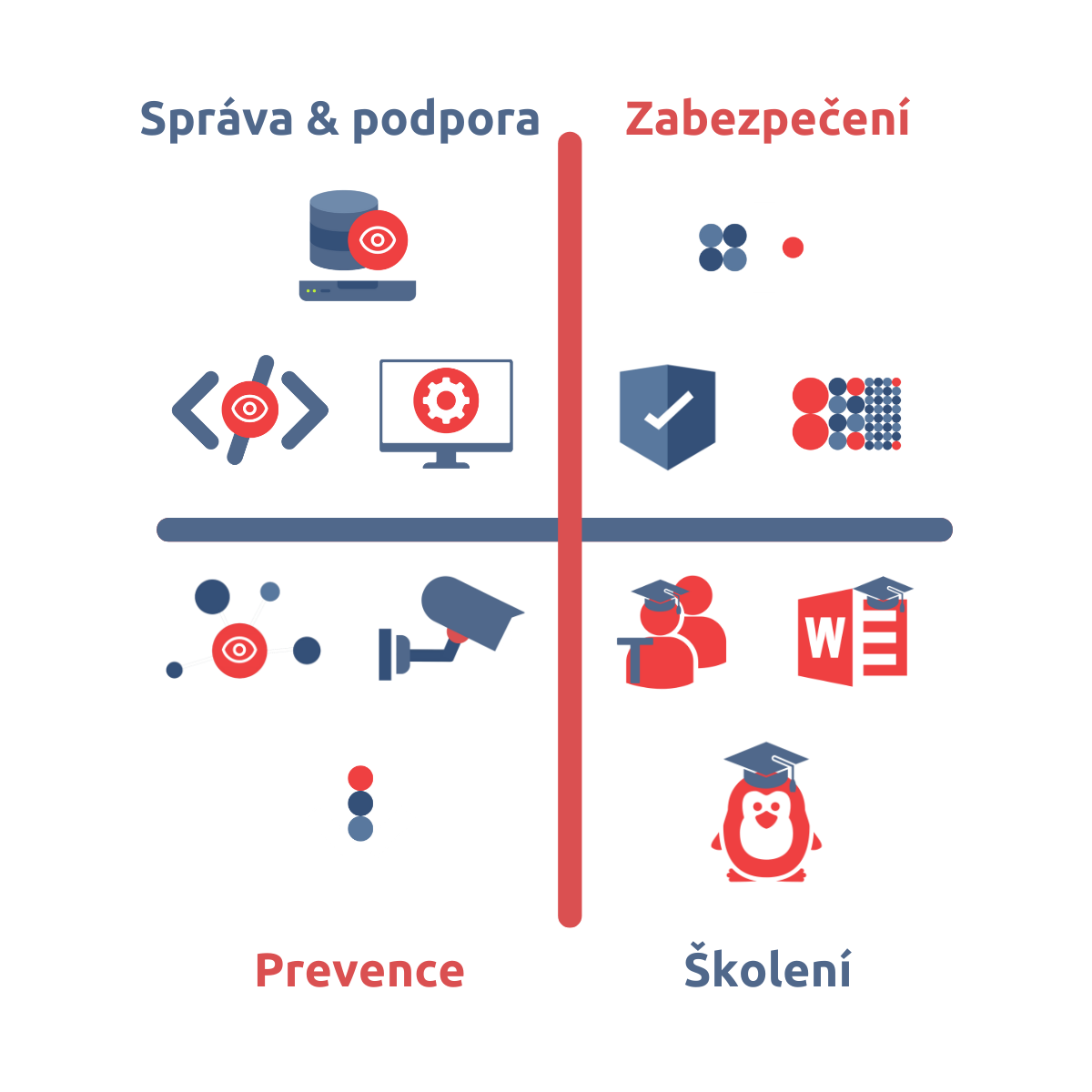
- Overview image showing all 4 quadrants: Sprava & podpora, Zabezpeceni, Prevence, Skoleni
6.2 Skoleni
- Cybersecurity training programs and workshops

6.3 Zabezpeceni infrastruktury
- IT infrastructure security consulting and strategies

6.4 Prevence
- Preventive strategies against cyber threats

6.5 Sprava a podpora
- IT infrastructure administration and support services

6.6 Analyza a evidence
- Security assessment, data collection, risk evaluation

6.7 Regulace a legislativa
- Legal compliance for IT security (laws, regulations)

6.8 Vyvoj
- Security solutions development, design, implementation

6.9 IT akademie
- Comprehensive IT education programs

Individual Product/Service Logos (Section 7) — Loga produktu
All logos are transparent/without background. The reference PDF shows each on navy/red/light background variants (3 color versions per logo). Each product has its own subsection in the reference PDF.
Zabezpeceni Group
| # | Product | Notes |
|---|---|---|
| 7.1 | Zakladni bezpecnostni konfigurace | 3 color variants |
| 7.2 | Zabezpeceni serveru a sitovych prvku | |
| 7.3 | Firewall | |
| 7.4 | Sprava koncovych zarizeni | |
| 7.5 | Sprava pracovnich stanic | |
| 7.6 | Sprava sitovych prvku | |
| 7.7 | Sprava sitovych prvku + Zalohovaci reseni | |
| 7.8 | Rizeni rizik |
Monitoring & Skoleni Group
| # | Product | Notes |
|---|---|---|
| 7.10 | Monitorovaci system | "Pouzivat cervene" |
| 7.11 | Skoleni kyberneticke bezpecnosti | |
| 7.12 | Cloud zabezpeceni | |
| 7.13 | Pravidelna kontrola | |
| 7.14 | IT Audit | |
| 7.15 | Segmentace site | |
| 7.16 | Antivirove zabezpeceni | |
| 7.17 | Kamerovy system | |
| 7.18 | NIS 2 | |
| 7.19 | GDPR |
Analyza & Vyvoj Group
| # | Product | Notes |
|---|---|---|
| 7.20 | Analyza zabezpeceni cloudovych sluzeb | |
| 7.21 | Analyza zabezpeceni koncovych zarizeni | "Pouzivat cervene logo" |
| 7.22 | Analyza zabezpeceni sitovych prvku | |
| 7.23 | Analyza zabezpeceni domeny | |
| 7.24 | SIEM | |
| 7.25 | Evidence pozadavku a incidentu | |
| 7.26 | Bezpecna Posta | "Pouzivat cervene logo" |
| 7.27 | Vyvoj Software | |
| 7.28 | GIT sprava kodu | "Pouzivat variantu s okem" |
| 7.29 | Penetracni Testovani | |
| 7.30 | IDS/IPS | |
| 7.31 | PCI-DSS | "Analyza ... podle prumyslovych standardu" |
Skoleni Group
| # | Product | Notes |
|---|---|---|
| 7.32 | Tvorba E-shopu | |
| 7.33 | Tvorba Webu | |
| 7.34 | Skoleni Microsoft 365 | |
| 7.35 | Skoleni Rizeni Rizik | |
| 7.36 | F13 Skoleni GDPR | |
| 7.37 | Skoleni Microsoft Office | |
| 7.38 | Skoleni Microsoft Office pro zacatecniky | |
| 7.39 | Skoleni Microsoft Office pro pokrocile | |
| 7.40 | Skoleni Microsoft Teams | |
| 7.41 | Skoleni technicke certifikace Microsoft | |
| 7.42 | Skoleni obecne | |
| 7.43 | Skoleni Windows pro zacatecniky | |
| 7.44 | Skoleni Windows pro stredne pokrocile | |
| 7.45 | Skoleni Windows pro pokrocile | |
| 7.46 | Skoleni Unix pro zacatecniky | |
| 7.47 | Skoleni Unix pro stredne pokrocile | |
| 7.48 | Skoleni Docker | |
| 7.49 | Sprava pracovnich stanic | |
| 7.50 | Sprava sitovych prvku |
Image File Mapping
Images are available as static assets at /static/img/. Named files replace the original
imageN.png numbering from the Word document extraction.
Logo Variants
| File | Caption / Content | Ref Fig # |
|---|---|---|
| logo-positive.png | Logo original (pozitivni varianta) | 1 |
| logo-negative.jpeg | Logo white+red (negativni varianta) | 2 |
| logo-black.jpeg | Logo black (cerna varianta) | 3 |
| logo-grey.jpeg | Logo grey (seda varianta) | 4 |
| logo-white.png | Logo white (bila varianta) | 5 |
| logo-header.png | Header logo (1.61 cm height) | — |
| logo-large.png | Title page logo (8 cm width) | — |
Logo Usage Examples
| File | Caption / Content | Ref Fig # |
|---|---|---|
| example-print-document.png | Tiskovy dokument | 6 |
| example-social-post.png | Prispevek na socialni site | 7 |
| example-document-original.png | Originalni varianta pro dokument | 8 |
| example-social-original.png | Originalni varianta pro socialni site | 9 |
| example-social-white-logo.png | Bila varianta pro socialni site | — |
| example-social-negative-logo.png | Negativni varianta pro socialni site | — |
Logo Backgrounds
| File | Caption / Content | Ref Fig # |
|---|---|---|
| bg-allowed-navy.png | Povolene pozadi — tmave modra | 10 |
| bg-allowed-red.png | Povolene pozadi — cervena | 10 |
| bg-allowed-grey.png | Povolene pozadi — seda | 10 |
| bg-disallowed-blue.png | Nepovolene pozadi — modra | 11 |
| bg-disallowed-pink.png | Nepovolene pozadi — ruzova | 11 |
| bg-disallowed-white.png | Nepovolene pozadi — bila | 11 |
Brand Identity
| File | Caption / Content | Ref Fig # |
|---|---|---|
| logo-protection-zone.png | Ochranne pasmo loga | 12 |
| template-social-1.png | Sablona pro socialni site (1) | 13 |
| template-social-2.png | Sablona pro socialni site (2) | 13 |
| logo-prohibited-modifications.png | Nepovolene modifikace logotypu | 14 |
| font-montserrat-specimen.png | Firemni pisma (Montserrat) | 15 |
| color-palette.png | Kodifikace barevnosti | 16 |
Product Category Icons
| File | Caption / Content | Ref Fig # |
|---|---|---|
| category-overview.png | Vsechny produkty (4 quadrants) | 17 |
| category-skoleni.png | Skoleni (graduation cap) | 18 |
| category-zabezpeceni.png | Zabezpeceni infrastruktury (shield) | 19 |
| category-prevence.png | Prevence (person+shield) | 20 |
| category-sprava-podpora.png | Sprava a podpora (gear+arrows) | 21 |
| category-analyza-evidence.png | Analyza a evidence (magnifier) | 22 |
| category-regulace-legislativa.png | Regulace a legislativa (EU stars) | 23 |
| category-vyvoj.png | Vyvoj (monitor+gear+code) | 24 |
| category-it-akademie.png | IT akademie (person+book+cap) | 25 |
Standalone Product Icons
| File | Caption / Content | Ref Fig # |
|---|---|---|
| product-monitorovaci-system.png | Monitorovaci system (server+eye) | — |
| product-zabezpeceni-compliance.png | Zabezpeceni compliance (box+shield) | — |
| product-bezpecna-posta.png | Bezpecna Posta (envelope+shield) | — |
Note: Product logo grid images (original image36–53) were composite screenshots from the design manual showing 3–4 products per image on colored backgrounds. These were not carried over as standalone assets — only individual icons are available above.
Abbreviations (Section 8 — Seznam zkratek a vyznam)
Reference PDF (page 52) table content:
| Zkratka | Vyznam |
|---|---|
| F13 | F13 CyberTech |
| NIS 2 | Smernice EU o bezpecnosti siti a informacnich systemu |
| GDPR | General Data Protection Regulation (Obecne narizeni o ochrane osobnich udaju) |
| SIEM | Security Information and Event Management (Sprava bezpecnostnich informaci a udalosti) |
| IDS/IPS | Intrusion Detection System / Intrusion Prevention System (System detekce pruniku / System prevence pruniku) |
| PCI-DSS | Payment Card Industry Data Security Standard (Bezpecnostni standard dat platebniho prumyslu) |
| IT | Informacni technologie |
| GIT | Distribuovany system pro spravu verzi kodu |
Note: The LaTeX source currently has slightly different entries (separates IDS and IPS, adds ISO, PDF, DOCX, PPTX which are NOT in the reference). The reference table has "Tabulka 3: Seznam zkratek".
Company Information (Sections 11 & 12)
Predstaveni (About)
F13 CyberTech s.r.o. is a company founded to do things their own way. Based in the Moravskoslezsky (Moravian-Silesian) region.
Vision: satisfied, secured, and backed-up customer.
Core pillars:
- Quality, functional, user-friendly technical solutions
- Transparent and fair dealings with clients
- Maintaining high service level through commitment to correct communication
- Diversification of service offerings (from basic security to audit, from training to penetration testing)
Kontakty
F13 CyberTech s.r.o. Sokola Tumy 1099/1, Ostrava 709 00 Spisova znacka C 72754 vedena u Krajskeho soudu v Ostrave IC: 066 46 654 DIC: CZ06646654 ID datove schranky: 874v5Y8
| Person | Phone | |
|---|---|---|
| Eva Lichnovska | eva@f13cybertech.cz | 774 448 966 |
| Adam Lichnovsky | adam@f13cybertech.cz | 728 051 380 |
| Martin Piech | martin@f13cybertech.cz | 721 232 021 |
Reference PDF Visual Observations
Page Layout in Reference
- 55 pages total
- Justified text throughout
- Clear paragraph spacing between paragraphs (parskip style, no indent)
- Section headings (H1): 18pt bold, colored f13navy
- Subsection headings (H2): 16pt regular (NOT bold), colored f13navy
- Subsubsection headings (H3): 11pt regular (NOT bold), colored f13navy
- Captions: 9pt italic, left-aligned, format "Obrazek N: Caption text"
- Bullet points: filled circles (level 1), outline circles (level 2)
- Header on every page: logo left, "Interni" right
- Footer on every page (except title): "Stranka X z 55" right-aligned
- Change log table: full borders on all cells
- Abbreviations table in reference (page 52): full borders on all cells (not booktabs)
Lists in Reference
- Seznam obrazku (List of Figures): pages 53-54, contains 68 figure entries
- Seznam tabulek (List of Tables): page 54, contains 3 table entries:
- Tabulka 1: Zmeny v dokumentu (page 2)
- Tabulka 2: Kodifikace barevnosti (page 17/21)
- Tabulka 3: Seznam zkratek (page 49/52)
Product Logo Pages (Section 7)
- In the reference PDF, EACH product gets its own subsection (7.1 through 7.50)
- Each shows 3 color variants side by side (navy background, red background, light/white background)
- Some have special notes like "Pouzivat cervene" (use red variant) or "Pouzivat variantu s okem" (use variant with eye)
- The LaTeX version groups multiple products per figure (3-4 products per image row) to save space
Section Content Summaries
Section 1: Uvodni slovo a specifikace znacky
Introduction explaining that the design manual is the fundamental tool for creating unified visual style. Covers that unified visual style consists of: company name, logotype, corporate font, and corporate color. Must be consistently followed in all internal and external communication.
Section 2: Logotyp
Comprehensive section covering:
- 5 logo variants with images
- Company naming conventions
- Logo application examples with screenshots
- Official F13 document specifications (detailed formatting rules)
- Official F13 presentation specifications
- Allowed/disallowed backgrounds for logos (6 examples)
- Logo placement standards for documents, presentations, social media
- Logo protection zone (34px / 9mm minimum)
- Social media template examples
Section 3: Nepovolene modifikace logotypu
Rules about what NOT to do with the logo (5 rules with example image).
Section 4: Firemni pisma
Shows Montserrat font specimen.
Section 5: Kodifikace barevnosti
Color palette with 6 colors (3 primary + 3 secondary) showing RGB, CMYK, HEX values.
Section 6: Loga pro okruhy produktu
8 product categories + overview, each with description text and icon logo.
Section 7: Loga produktu
50 individual product/service logos, each shown in 3 color variants.
Section 8: Seznam zkratek a vyznam
Abbreviations table with 8 entries.
Section 9: Seznam obrazku
List of all 68 figures in the document.
Section 10: Seznam tabulek
List of all 3 tables in the document.
Section 11: Predstaveni F13 CyberTech s.r.o.
Company introduction / about text.
Section 12: Kontakty
Company address, registration info, and 3 contact persons.
Czech Localization Notes
- Document language: Czech (babel package with
czechoption) - Non-breaking spaces (
~) before single-letter prepositions: v, k, s, z, u, a, i, o - Thin spaces (
\,) in: company names (s.,r.,o.), phone numbers, ID numbers - Czech names used: Obsah (TOC), Seznam obrazku (LOF), Seznam tabulek (LOT), Obrazek (Figure), Tabulka (Table), Stranka X z Y (footer)